
Your keyboard and mouse, as a controller
Play pad-only games on keyboard and mouse, stream your PS5 to your PC, and remap, tune and theme every controller you own. One app for all of it.
- Free tier, no account needed
- Pro is $14.99/mo
- PS5 Remote Play built in

Works with the controllers you already own
Every supported controller- PlayStation
- DualSense, DualSense Edge, DualShock 4, DualShock 3
- Xbox
- Xbox Series / One, Elite Series 2, Xbox 360
- Nintendo
- Switch ProGameCube & Wii Remote, as Dolphin outputs
- Meta
- Touch PlusQuest 3 & 3S, over Link
- PC
- Raiju V3


Ready-made setups for 251 games.
Browse and import them free, instead of starting from a blank profile.







One layer between you and the game.
Everything you plug in passes through OmniControl first.
You use
Your game gets
DualSense
A controller tuned to you
Curves, deadzones & remaps
Xbox controller
Virtual DualShock 4 output
Keyboard & mouse
Play controller-only games
Virtual controller + calibration
Controller
Play keyboard-and-mouse-only games
Keyboard & mouse output
- features in one app
- 19
- games with ready-made packs
- 251
- controllers supported
- 10+
- to start, with no account
- $0
Make your sticks and triggers feel right.
Close up deadzones, set your sensitivity and watch the live input as you edit.

Stick Studio. Shape each stick with response curves, deadzones, anti-deadzone and anti-snapback.
Free + Pro
Trigger Studio. Set deadzones, travel and activation points, and switch to hair-trigger for an instant break.
Free + Pro
Calibration. A guided wizard measures stick and trigger drift and flags a pad that has started to wander.
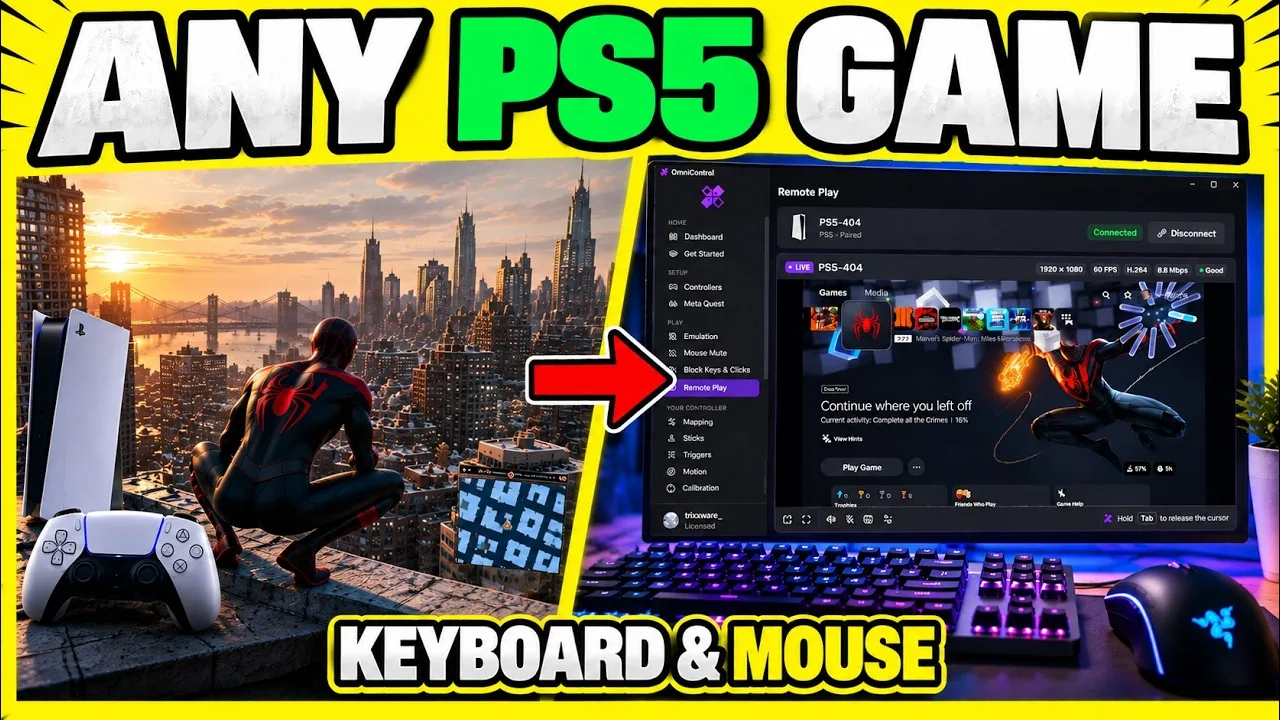
Play controller-only games with mouse and keyboard.
Drive a virtual controller from your keyboard and mouse, with turn-rate calibration built in so aiming feels like your mouse.
Emulation. Hand any game a virtual Xbox 360 or DualShock 4 it treats as real hardware.
Pro
Native Input Mute. Stop chosen keys and mouse inputs doing their normal job in Windows while OmniControl keeps using them.
More to make it yours.
Remapping · Free + Pro
Every input, rebound. Rebind any button, stick or trigger. Changes go live instantly.

Macros · Pro
Record, replay, anywhere. Record controller, keyboard and mouse together, then bind the result to any input.

Game Center · Free + Pro
The right setup, the moment a game opens. Save a profile per game and forget about it.

Themes
Make it look like yours. Paint your controller part by part, or give the shell a moving skin.

Start free. Upgrade if you need to.
Reading, mapping and tuning are free for good. Pro is what carries them into your games, and adds the automation tools on top.
Free
$0always
No time limit. No account needed.
Customise, stream and remap your controller, and play your PS5 from your PC.
- PS5 Remote Play, with multiple accounts and a quick switcher
- Themes, lighting and a live 3D view of your controller
- Overlay Studio and Crosshair Studio for your streams
- Map any input to keys and mouse actions
- Controller manager, live input and diagnostics
- Import any Game Pack from the catalog
Windows 10 & 11, 64-bit
Pro
$74.99per year
$6.25 a month, 58% less than paying monthly. Renews yearly until you cancel.
Play with keyboard and mouse, automate with macros, and emulate any pad. Billed once a year.
- Everything in Free
- Keyboard and mouse as a virtual controller, for games that only take a pad
- Keyboard and mouse on your PS5 over Remote Play
- Macro Studio and the Recorder, for combos and automation
- Save and share your own Game Packs
- Emulation: any controller as a virtual Xbox or DualShock pad
- Meta Quest Touch controllers as a virtual pad
- Stick, Trigger and Adaptive Trigger Studios, Gyro Aim and shift layers
- Your stream overlay without the watermark
Cancel any time. Refund policy
Your plan follows your account, so you sign in to subscribe.
Questions before you download.
Is it free?
Will this get me banned?
What do I need to run it?
How many PCs can I use my licence on?
Set your controller up once. Then just play.
Free to download. No account needed to start.